
A website that has been online for two years, with new content published every month, and yet fewer than ten visits a day from Google. The problem is almost never down to a single factor, but rather a series of technical and editorial gaps that compound over time. To improve your website’s SEO, you can save time by following a specific sequence of actions, each one laying the groundwork for the next.
The six steps below are ranked by impact: start with what prevents Google from properly reading your pages, then work your way up to what builds visibility over the medium term.
1. Fix crawling and indexing errors in Google Search Console
Before making any changes to your content, check that Google can actually access your website’s pages. A page blocked by the robots.txt file or returning a 404 error will never rank, regardless of its content. Google Search Console lists crawling errors page by page, along with the type of issue encountered.
Start by addressing pages with indexing errors: redirect loops, orphan pages, and incorrectly declared canonical URLs. Until these issues are resolved, any editorial optimization will have little effect. A detailed guide to improving your website’s SEO can help you structure the process step by step.
The Index Coverage report distinguishes between valid, excluded, errored, and warning pages. This breakdown helps you identify important content that Google is ignoring for no apparent reason. You can then manually submit the corrected URLs to speed up their processing.
2. Reduce load times on critical pages
A slow website hurts rankings and drives users away before they have even read a word. Start with the pages that get the most traffic or serve as entry points from search engines.
The most effective ways to get quick results:
- Compress images in WebP format and reduce their file size without sacrificing readability
- Defer loading JavaScript scripts that are not needed for the initial page display
- Enable browser caching so returning visitors load fewer resources
Page load speed directly affects click-through rates from Google search results. A page that takes several seconds to load on mobile loses a significant share of its potential visitors.
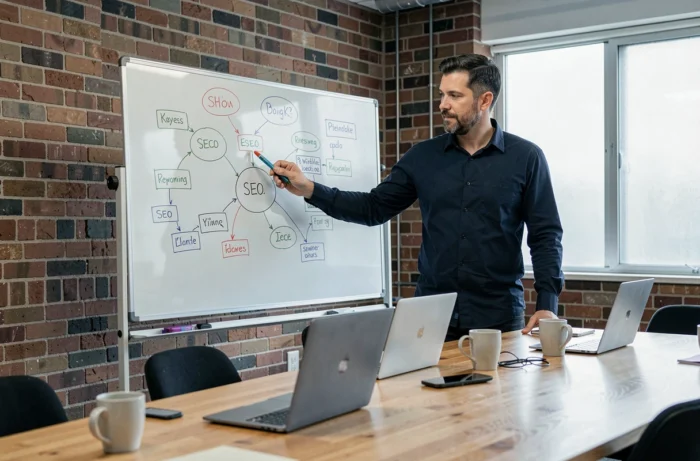
3. Structure each page around a single target keyword
It’s common to see websites targeting the same query with three or four different pages. Google then struggles to determine which one to rank, and none of them perform well. Each URL should target a specific search intent.
For each page, choose one primary keyword and two or three closely related variations. Include the main term in the title tag, rephrase it in the H1, and develop the topic without straying into a subject covered by another page on the site.
This process can be managed with a simple spreadsheet: one column for the URL, one for the target keyword, and one for the title tag. If two rows share the same keyword, merge the pages or clearly differentiate their angles. This editorial cleanup can produce visible results within a few weeks for low-competition queries.
4. Rewrite title tags and meta descriptions for underperforming pages
Google Search Console shows the click-through rate for each page in search results. Some pages appear in a good position but generate few clicks. The problem is then what users see in the SERP: an unclear title or an empty meta description lowers the click-through rate, even when the page ranks well.
Identify pages with a high number of impressions but a low click-through rate. For each one, rewrite the title tag so the primary keyword appears near the beginning, and write a meta description that clearly explains what users will find on the page.
Results vary by industry and the level of competition for each query, but this is still one of the quickest optimizations to implement for a traffic boost without creating new content.
5. Strengthen internal linking between topically related pages
Content with no inbound links from other pages on the site is less likely to be crawled and rank well. Internal linking distributes SEO value across pages and guides search engines to priority content.
Start by grouping pages by topic. Every article or service page should include at least two or three internal links to pages within the same semantic topic area. Use descriptive anchor text that includes the target keyword of the destination page.
- From a blog post, link to the relevant service page and another related article
- From a category page, link to its subcategories and related editorial content
- Avoid generic anchor text such as “click here” or “learn more,” which provides no semantic signal to Google
6. Track results in Search Console using the right metrics
Publishing and optimizing without measuring results is like working blind. Google Search Console provides four metrics to monitor: impressions, clicks, click-through rate, and average position. Each tells a different part of the story about a page’s performance.
A page that gains impressions but not clicks has an appeal problem in search results (title, description). A page whose average position improves slowly but steadily is a sign that its content meets search intent.
Compare these figures over periods of four to six weeks to smooth out normal algorithm fluctuations. Structured data on a page can help it appear with rich results in Google, but its presence does not guarantee that they will be displayed. Monitoring the “Enhancements” report in Search Console helps you catch markup errors before they affect visibility.
These six steps work best in sequence because each one depends on the previous one. Fix crawling before changing content, organize keywords before rewriting tags, and build internal links before measuring results: this sequence prevents you from spreading your efforts across optimizations whose impact could be undermined by an upstream technical issue.